Budget by paycheck, not by month.
Budgeting for overspenders. BudgetGem plans your money one paycheck at a time, so you can see what’s due before your next payday and spend on purpose.
Tell me the day it’s liveSee insideOne email, the day the app is live. Try it free for 7 days.
Why do you run out of money before payday?
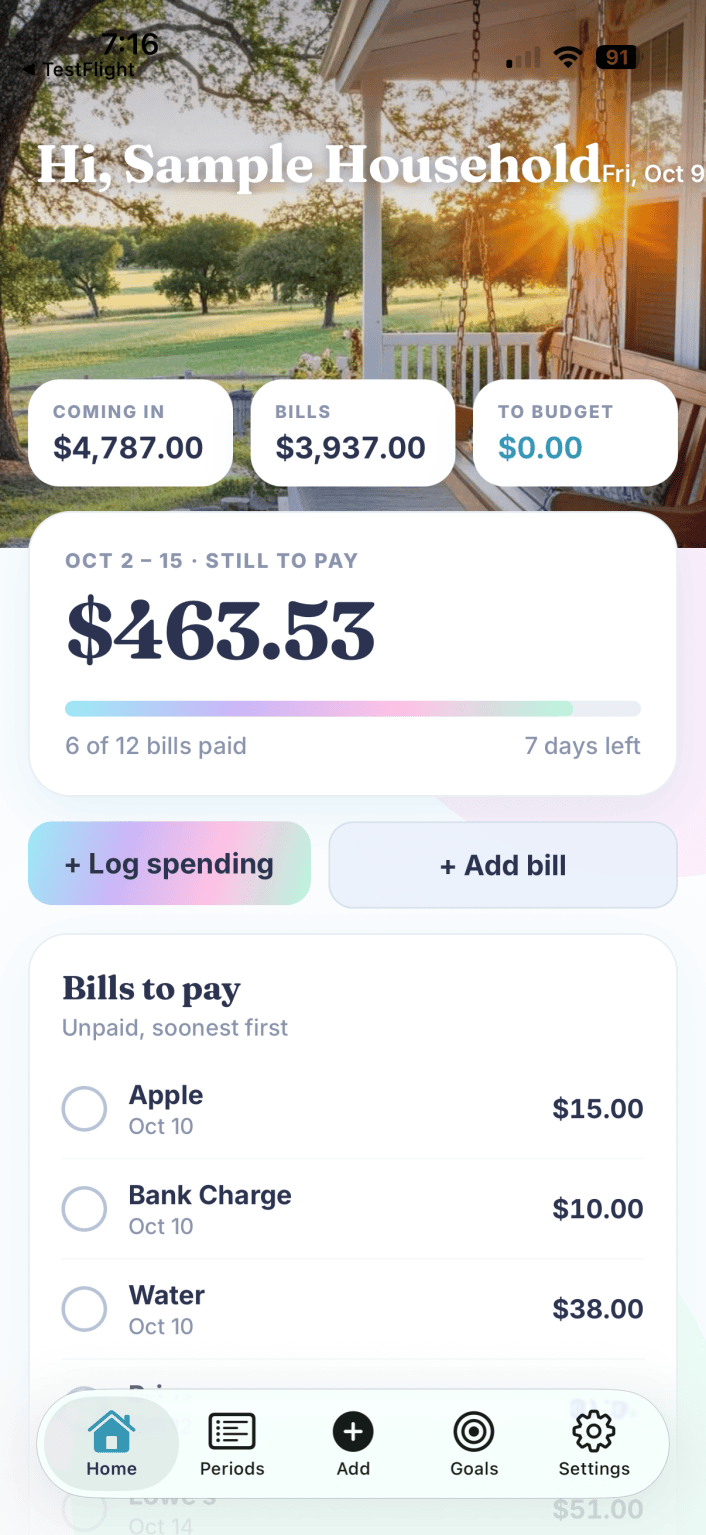
Most budgeting apps assume one paycheck a month. If you’re paid every two weeks, every week, or on a schedule that shifts, a monthly budget never lines up. Rent is due on the 1st, your check lands on the 9th, and one paycheck covers half your bills while the next covers almost none.
BudgetGem puts every bill on the paycheck it actually comes out of. You see what each check has to cover, what’s left, and you give every leftover dollar a job.
See inside
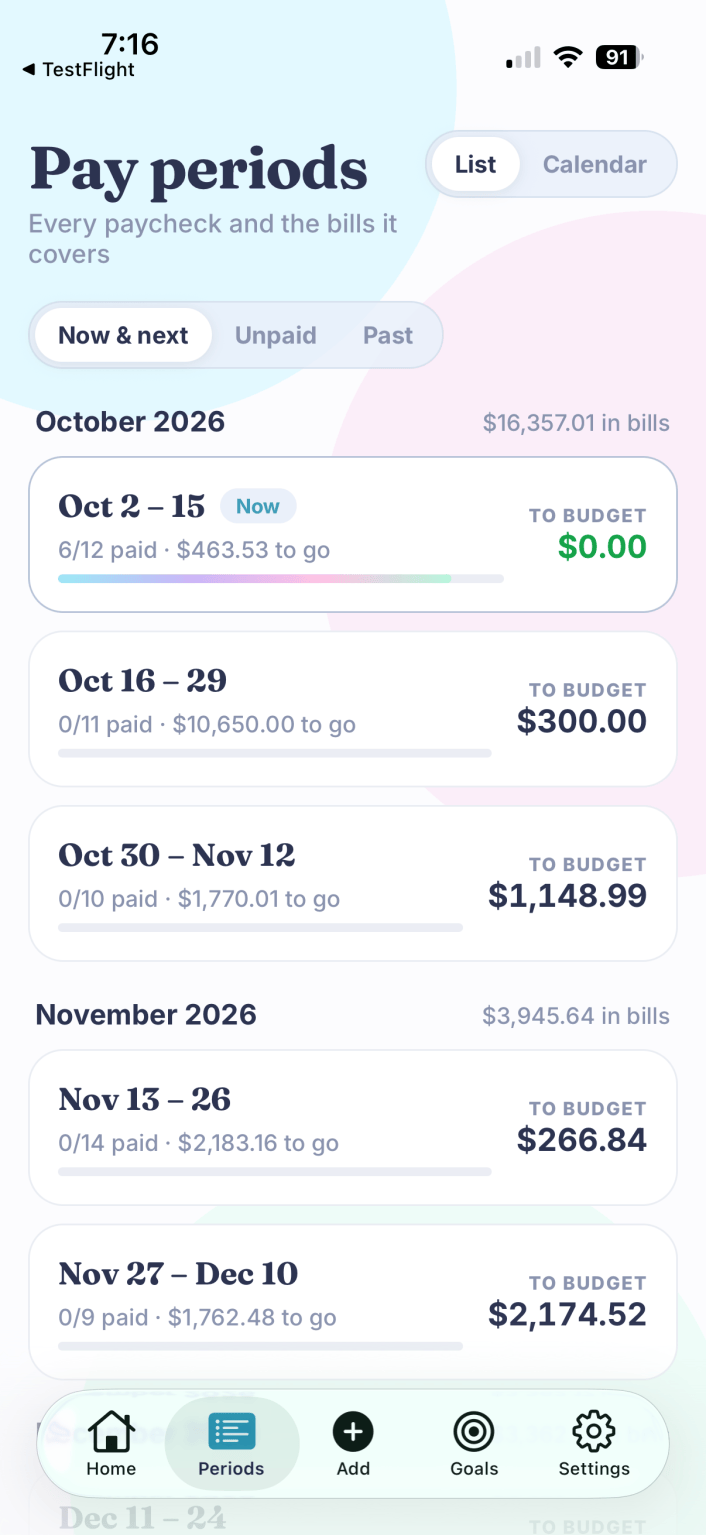
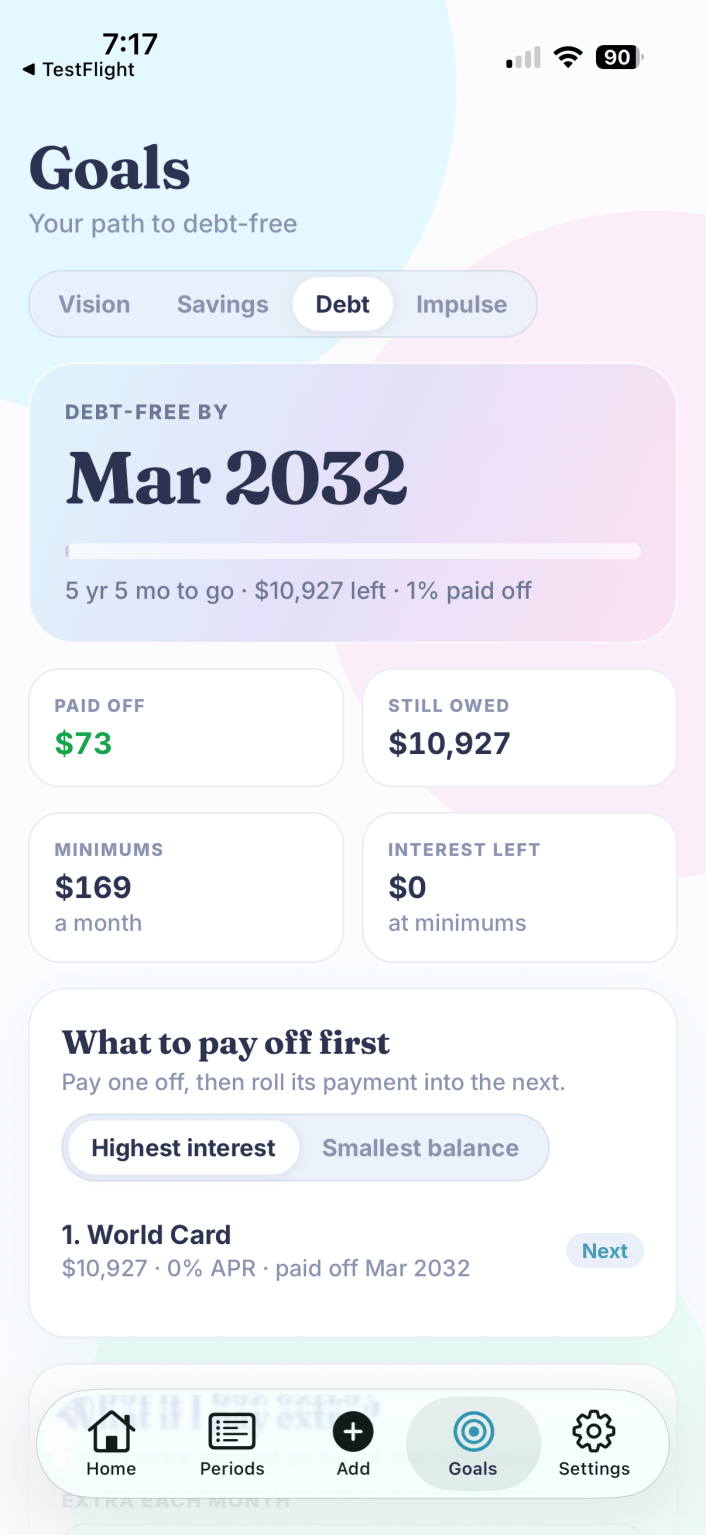
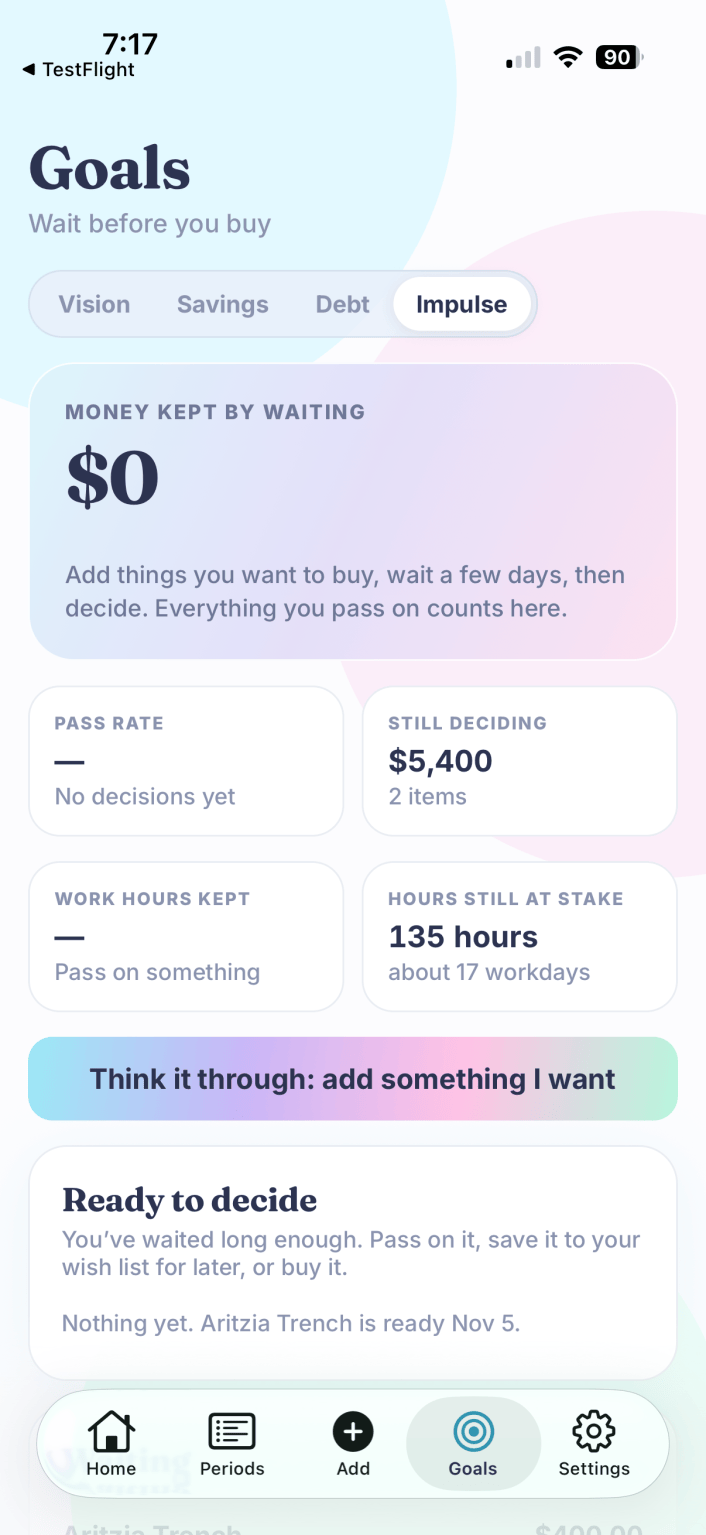
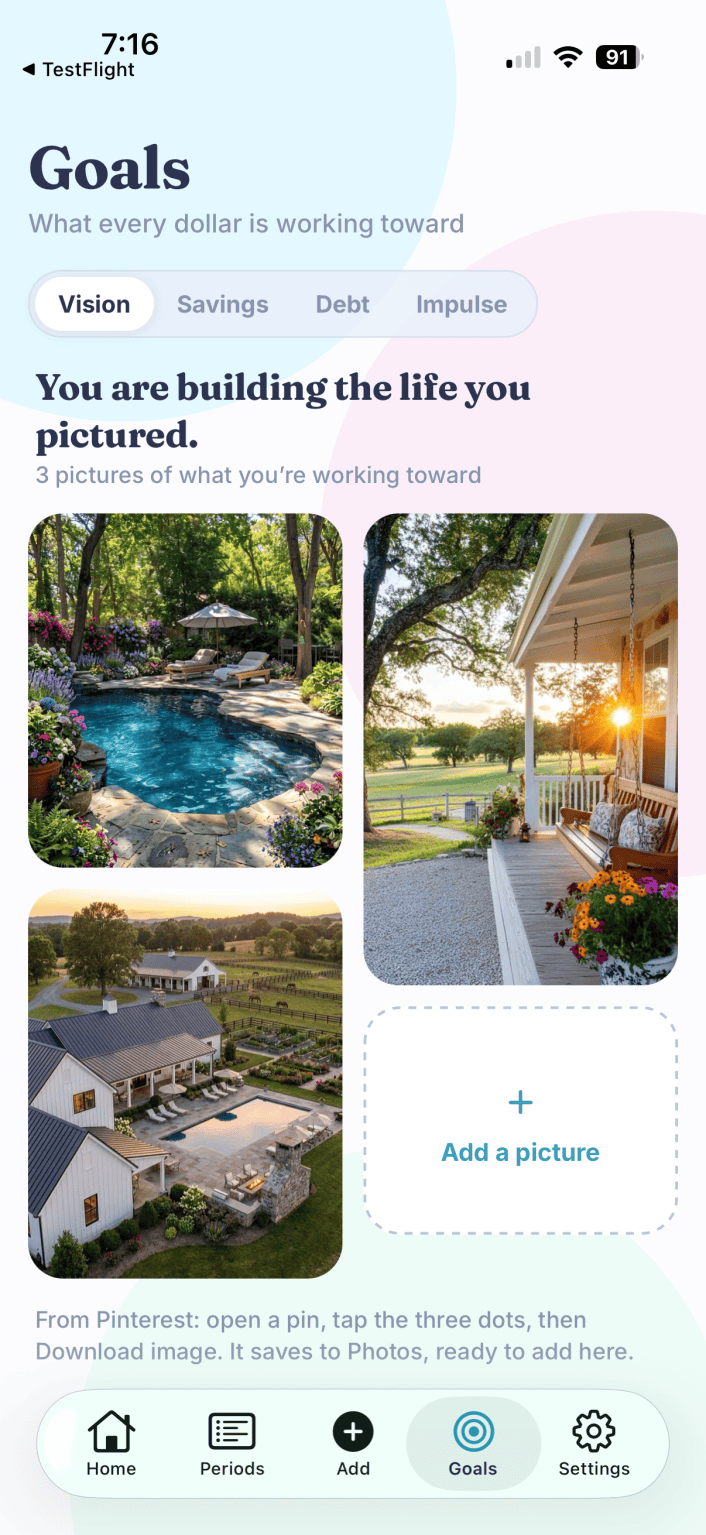
A first look at BudgetGem. Screens shown with sample data.


What BudgetGem does
Everything you need to plan a paycheck, nothing you have to hand over your bank login for.
Plan many paychecks ahead
See far out, not one check at a time. BudgetGem builds your pay periods to match how you’re paid.
Bill timeline
See which bills land before your next paycheck and which wait for the one after, with each payday marked.
Give every dollar a job
Assign what’s left after bills to the things that matter, until nothing is left unplanned.
Should I buy it?
Before you spend, see the price in hours of work, add it to a wish list, and let it wait. Impulse buys get a second look.
Debt tracker
Log payments, see your payoff order, and watch your estimated debt-free date move closer.
Emergency fund
Track your cushion and see when you’ll reach your goal at the amount you set aside each paycheck.
See where it went
A spending list grouped by category, with dates and notes, so “where did it go?” has an answer.
Your picture, your reason
Put a photo of what you’re working toward on your Home screen, so the plan stays personal.
Set up in a few minutes
No account to link and no bank login to hand over.
Tell it how you’re paid
Weekly, every two weeks, twice a month or monthly.
Add paychecks and bills
Enter each bill and its due date once.
Spend on purpose
See what each paycheck covers and what’s left to plan.
Who it’s for
- People paid every two weeks or every week
- Overspenders who want to see what’s safe to spend before they swipe
- Anyone paying down debt who wants a clear payoff order
- Families juggling more bills than paychecks
Why I built it
Nothing worked for how my family actually gets paid. Every app assumed one paycheck a month, but our money comes in every other week and the bills don’t care about the calendar. I wanted to see what was due before my next paycheck and what was safe to spend. So I built it for us first, and my family has run their money through it every payday since.
Try it free for 7 days.
Then choose a plan. Billed through the App Store, and you can cancel anytime in your App Store subscription settings.
Join the list and get one email, the day the app is live.
Questions
When is it available?
Soon. BudgetGem is headed to the App Store. Join the list and I’ll email you once, the day it’s live.
Does it connect to my bank?
No, on purpose. You enter your paychecks and bills yourself. It takes a few minutes each payday, and it keeps you in the habit of actually looking at your money.
I’m paid weekly, twice a month or irregularly. Will it work for me?
Yes. You choose how often you’re paid, and BudgetGem builds your pay periods to match.
How does the free trial work?
You get 7 days to use BudgetGem free. After that it’s $59.99 per year or $7.99 per month, whichever plan you pick. You can cancel anytime in your App Store subscription settings.
Is there a computer version?
Yes. A one-time-purchase version for Mac and PC is available today. See the computer version.
BudgetGem is a budgeting and tracking tool for personal use. It isn’t financial, tax, investment or legal advice, and it doesn’t connect to any bank. Debt-free dates and other projections are estimates based on what you enter. Screens shown with sample data.